
I am just wondering if anyone can help me on an issue i have got.
So when i design a new graphic piece i layer many different things on top of each other in illustrator. So i can then either send it to signcut or flexi. The issue i have is that rather than ignore any paths that are hidden by layers the cutter cuts everything out, thereby ruining the layer that is over the one underneath. An example of this is that i placed a load of scroll work and some roses under a skull. sent it to signcut and everything that was hidden under the skull layer was cut into the skull layer. This is something i really do not want, I dont want to have to do each layer seperately, i just wand all the hidden parts ignored in the cut, that or i have to edit the sections in illustrator and remove them manually.
Any suggestions.
vinyl cutting issue with flexicut or signcut

Re: vinyl cutting issue with flexicut or signcut
cutter will cut them all even if they are hidden.
You need to merge them together as a one layer. Is fairly simple if you know how to...
so here it is..
you have to layers right??
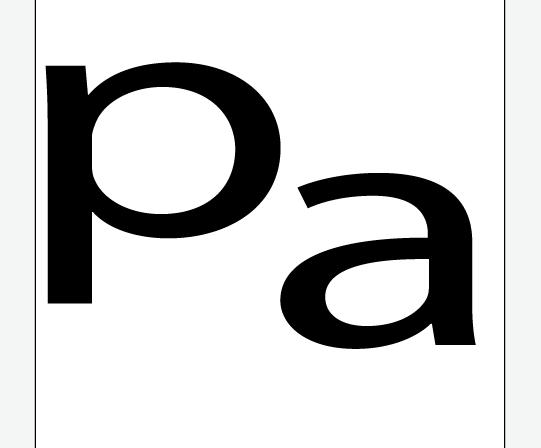
when you want to put one ont the other one they will look ok...

...but when you press ctrl+A (cmnd+A on mac) then you will see paths. this is what your cutter see and cut all the layers. is simple to join them together so they will have only single path around them. (this is also useful for contour cutting). so press ctrl+a to mark them all or simply holding ctrl click on each layer that you would like to join. they will look like this...
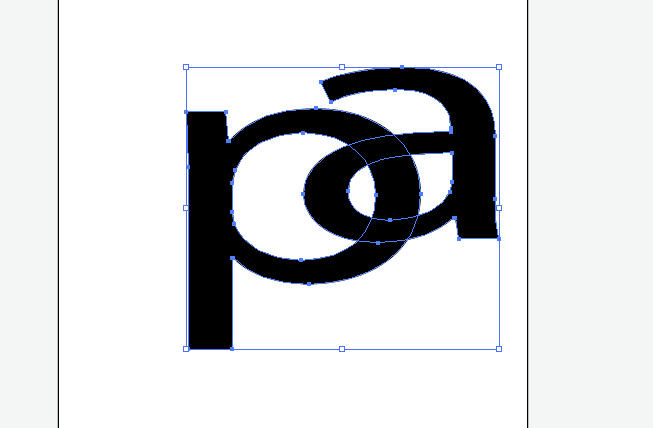
once they all marked go to window>pathfinder
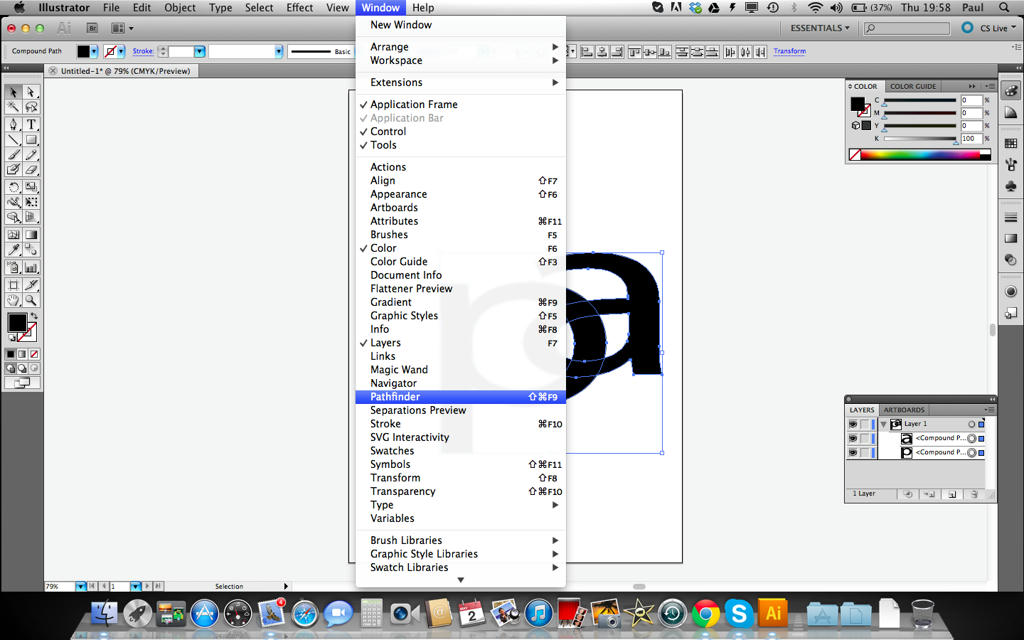
you will see small window pop up (if not visible by default)
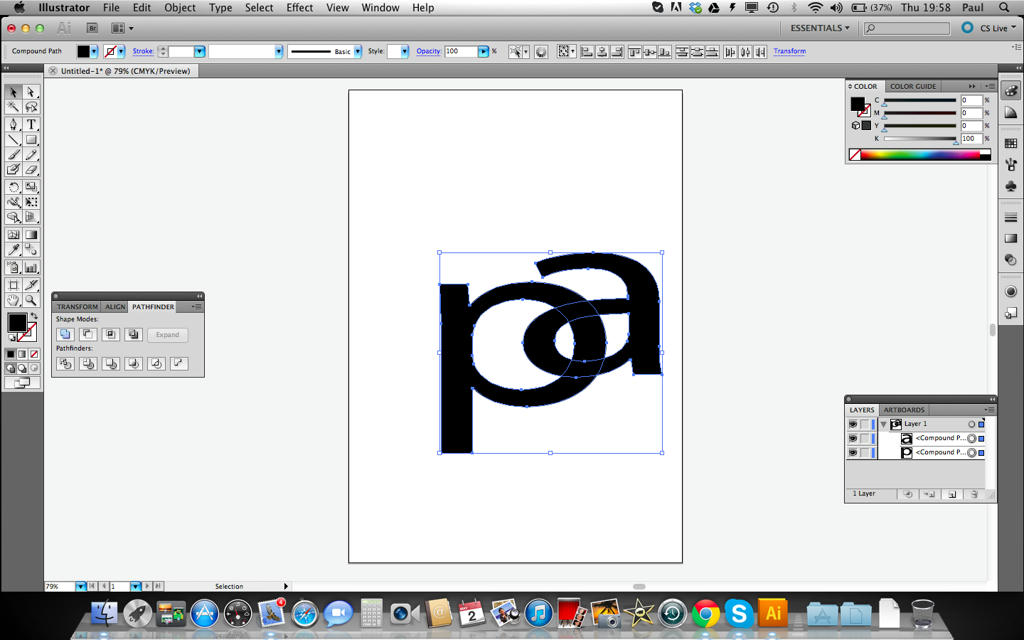
click on small icon that is highlighted blue ish. layers will merge.
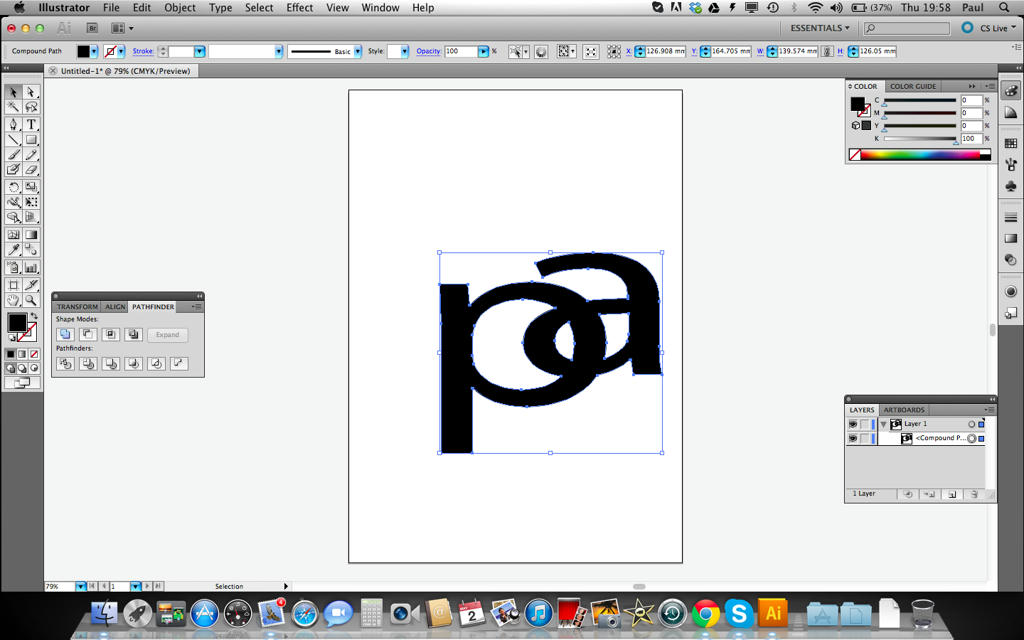
hope this is what you was after.
cheers
PAul
You need to merge them together as a one layer. Is fairly simple if you know how to...
so here it is..
you have to layers right??
when you want to put one ont the other one they will look ok...
...but when you press ctrl+A (cmnd+A on mac) then you will see paths. this is what your cutter see and cut all the layers. is simple to join them together so they will have only single path around them. (this is also useful for contour cutting). so press ctrl+a to mark them all or simply holding ctrl click on each layer that you would like to join. they will look like this...
once they all marked go to window>pathfinder
you will see small window pop up (if not visible by default)
click on small icon that is highlighted blue ish. layers will merge.
hope this is what you was after.
cheers
PAul
http://www.howtoprintstuff.co.uk <-- How To Print Stuff BLOG
Re: vinyl cutting issue with flexicut or signcut
Hi paul.
thanks thats it, think i could remember today.. nope not at all and it was doing my head right in! thats sorted that now everything looks right... so far!
thanks thats it, think i could remember today.. nope not at all and it was doing my head right in! thats sorted that now everything looks right... so far!

Who is online
Users browsing this forum: No registered users and 1 guest