Page 1 of 3
Re: Mug question
Posted: 01 Sep 2019, 18:08
by RichG
Hi
I've just printed some text onto some white 11oz mugs, the text has come out great but the background has come out ever so slightly off white and in certain lights you can see exactly where the paper was attached to the mug. In another post in the printing issues section my printer was actually printing a very faint background but this issue is now sorted (I think) and the image I printed for this mug is a PNG so has no background. I'm using an ST210 press, Sublinova ink and Ink Experts Paper which I've got to say I've never had a problem with. Press is preheated to 125, mug is put in and heated to 170 for 170 secs. These settings have worked fine until now?? Help please!
Cheers
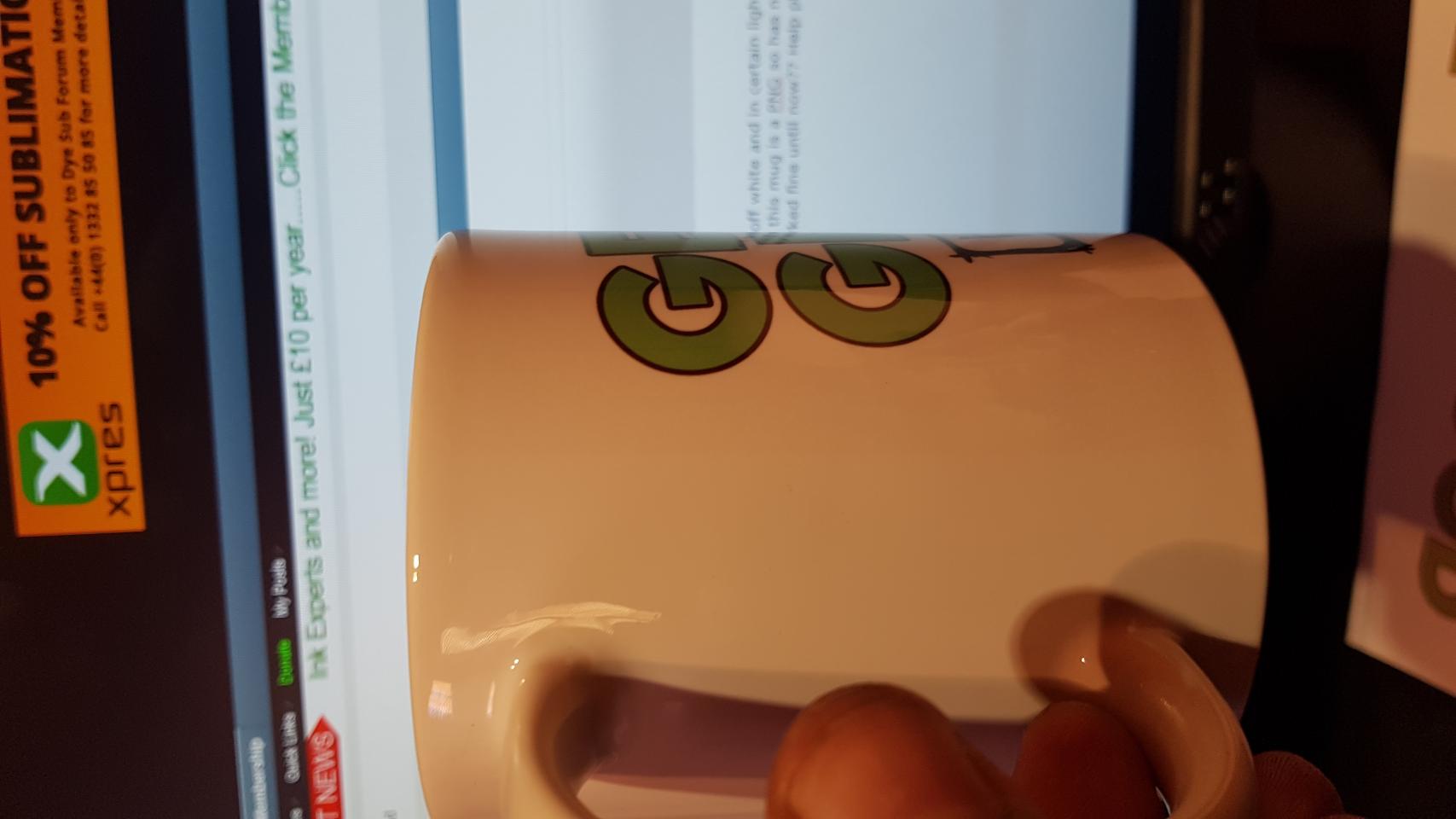
- vB_ID:5872
- 20190901_175608.jpg (80.87 KiB) Viewed 946 times
Re: Mug question
Posted: 01 Sep 2019, 20:00
by webtrekker
I'm having difficulty determining your issue from that image Rich. The whole mug has a yellow cast to me!
The best way to check if your image has a faint background colour is to view it in Photoshop (other graphics software is available!) and roll the mouse over the background to see if the RGB values change to anything other than 255, 255, 255 in the Info panel.
Re: Mug question
Posted: 01 Sep 2019, 21:01
by RichG
Hi webtrekker, the area is really faint, I've attached another photo, the red dots show where the problem starts/finishes. The area is exactly where the paper was applied to the mug and is only really visible in certain lights and if you look really hard. I've looked at a mug that I did a few days ago with the same image on and is absolutely fine? Cheers
[ATTACH=CONFIG]5873[/ATTACH]
Re: Mug question
Posted: 02 Sep 2019, 09:26
by webtrekker
Have you tried washing the mug in hot soapy water to remove any residue that may have been transferred from the paper?
Re: Mug question
Posted: 02 Sep 2019, 13:20
by RichG
Hi again, having played around with a few things I've found that my printer is actually printing over the white background. It isn't visible on the paper but I've watched the printer and it's actually printing the page from top to bottom even when the image is placed at the bottom of the page? I've just tried printing the image through Windows and it pulls the paper through and only prints the image at the bottom. Trouble is using the printer through windows I can't use the ICC profile??? Cheers
Re: Mug question
Posted: 02 Sep 2019, 14:12
by webtrekker
Is Photoshop set to RGB or CMYK output?
Re: Mug question
Posted: 02 Sep 2019, 14:40
by RichG
The image is in RGB but then the ICC profile is applied in the printer settings.
Re: Mug question
Posted: 02 Sep 2019, 15:25
by GoonerGary
I can see the line on the original (yellow) image. Run the eye dropper tool over the background and make sure that the background is RGB 255 pure white.
If it is pure white, then it could be that Photoshop is not picking up your ICC profile. Or some of your settings have changed. Photoshop can sometimes throw a wobbler.
Check that: Photoshop Manages Colors in Color Handling and the correct profile is selected.
Try re-installing your ICC profile.
Check that ICM no color management is set in your printer driver.
Re: Mug question
Posted: 02 Sep 2019, 15:35
by RichG
Hi mate, yes done all that a few times now thanks! Looks like Windows decided to update my 2 pcs over the weekend and it's buggered everything up......photoshop, printer and networks! Going to backdate them and see what happens! Cheers
Re: Mug question
Posted: 02 Sep 2019, 16:49
by webtrekker
There's one sure way to check your image. In Photoshop, select all of the white around the main image and delete it. Check that it's all gone by selecting that layer again and the selection box should just touch the sides of the central image, indicating that everything outside of that is transparent.
Save the result as a transparent PNG and try printing and pressing that. If it turns out ok then it looks like it might be the original image. If nothing has changed then at least you know the image is fine.
As for Windows, I never allow it (or any program for that matter) to make automatic updates. I check first to see what is to be updated and then decide if I'm willing to take the risk.