Page 1 of 1
Re: Dual monitors
Posted: 25 Apr 2019, 18:53
by Yozzer
I’m trying and failing to set up dual monitors. Every time I plug second monitor in it freezes screen 1 and screen 2 stays blank with no connection icon showing!!! Please help!!
Sent from my iPhone using Tapatalk
Re: Dual monitors
Posted: 25 Apr 2019, 22:45
by webtrekker
I use a small program called UltraMon that runs in the system tray (Win7) to handle my monitors.
Re: Dual monitors
Posted: 25 Apr 2019, 22:53
by webtrekker
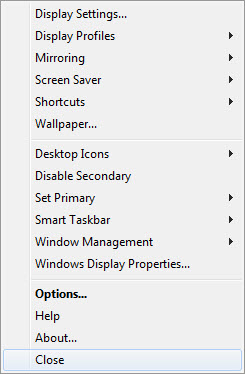
- vB_ID:5698
- ultramon_menu.jpg (31.34 KiB) Viewed 3889 times
The image above shows my desktop settings. (Samsung 940 dual 19" monitors)
UltraMon gives me additional tweaks ...
- vB_ID:5698
- ultramon_menu.jpg (31.34 KiB) Viewed 3889 times
Re: Dual monitors
Posted: 26 Apr 2019, 10:34
by Justin
What connections are you using out of interest?
Re: Dual monitors
Posted: 26 Apr 2019, 16:07
by pisquee
Our Photoshop computers (usually 3, sometimes 4) all have 3 monitors (HP LP2065 20" IPS), running off NVidia cards (HDMI, DVI and VGA) with native drivers and Windows 10
Works well, usually with Adobe Bridge on one, Photoshop on two, and Photoshop tools, Chrome, Emails on three
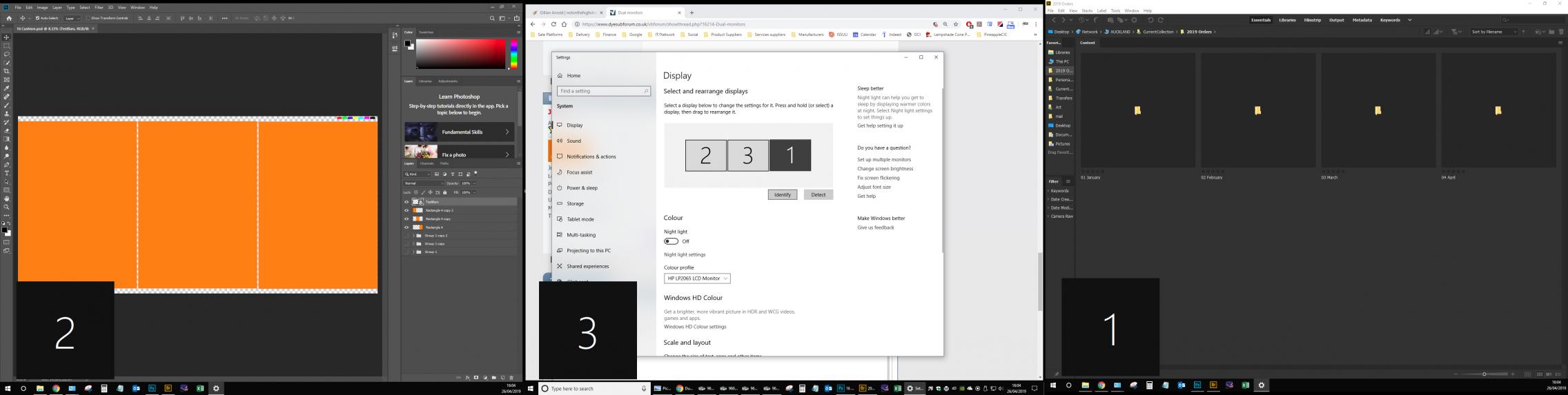
- vB_ID:5700
- Triple Mons.jpg (100.36 KiB) Viewed 3889 times
Re: Dual monitors
Posted: 27 Apr 2019, 07:47
by Yozzer
All sorted thanks, I’ve used a dvi cable instead of other monitor cable and rebooted second monitor. Works a treat. Thanks all.
Sent from my iPhone using Tapatalk
Re: Dual monitors
Posted: 27 Apr 2019, 11:16
by GoonerGary
pisquee;137975 wrote:Our Photoshop computers (usually 3, sometimes 4)
Does your graphics card have three outputs for each of the monitors or are you using a little gadget?
Re: Dual monitors
Posted: 27 Apr 2019, 13:32
by webtrekker
As already stated, muli monitors can help with productivity by being able to display independent applications, or tool panels on each monitor.
It's also possible to esily 'stretch' any application between all monitors, for viewing widescreen panoramic images for instance. My UltraMon app places extra window buttons on each open window that enable me to stretch or move the window from monitor to monitor with a single click. Here's a wide image in Photoshop stretched between my 2 Samsung 1280 x 720 monitors, making a 2560 x 720 total display size ...
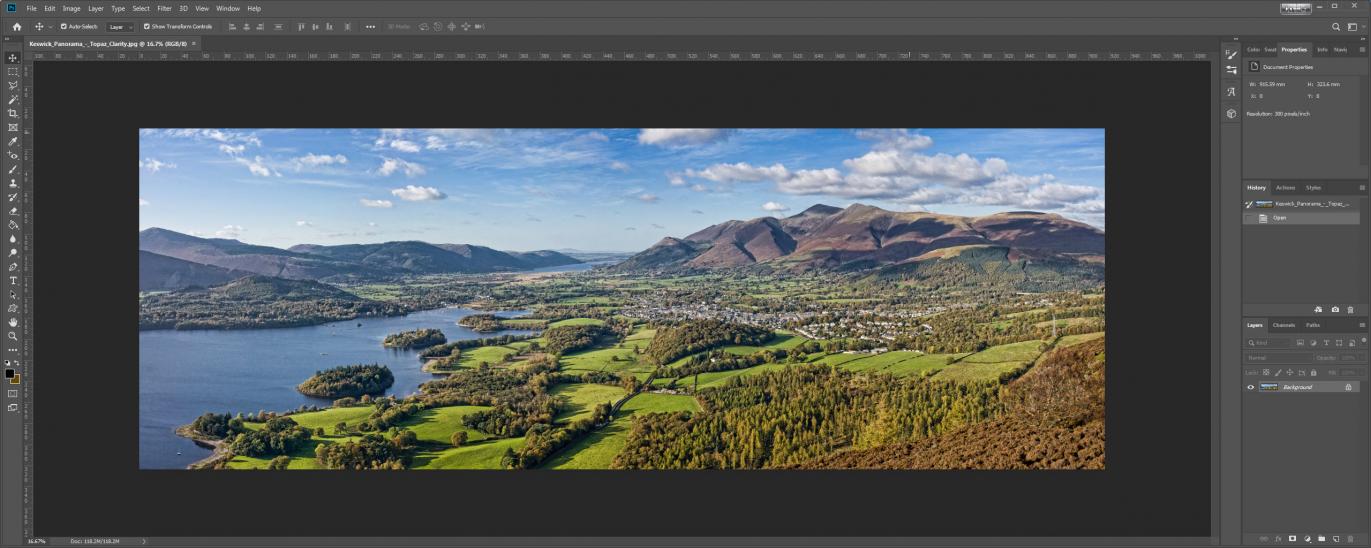
- vB_ID:5701
- PS_panoramic.jpg (101.11 KiB) Viewed 3889 times
Note that screenshots from multi-monitor displays look great but, in reality, you have the bezels of your monitors to contend with when actually working on something. Although mouse movement is smooth across the monitors, as if it was a single screen, the bezels are a bit distracting at times depending on what you are doing. Choosing monitors with the thinnest bevels is a good idea for multi setups, as is choosing the same model for all of your monitors to ensure closer colour-matching and response rates.
Re: Dual monitors
Posted: 27 Apr 2019, 15:44
by pisquee
Yes, all the NVidia cards we have, have the three outputs... Be careful though, not all cards can use all the outputs independently, some you are limited to two, but usually that's not a huge issue as you can use the computer's onboard graphics for the third