Page 1 of 2
Re: Mug printing problems - element marks
Posted: 27 Jan 2019, 12:53
by Fletcher
Hi all I’m having major issues with the element marks being left on the mug.
Im doing 170 for 160 seconds and pre heating with the mug in.
Ive messes with times 120- 200 seconds and still the same.
any ideas? My temper is running out. I’ve gone through 25 - 30 mugs this morning trying to get this right as the order is large. But it’s beating me.
Oh and I'm using a 5 mug mug press.
Any ideas? Thanks
Re: Mug printing problems - element marks
Posted: 27 Jan 2019, 13:09
by Paul
I had this problem when my element was close to dying. I swapped for the new one and it worked. is this happening on every wrap or just one?
Re: Mug printing problems - element marks
Posted: 27 Jan 2019, 13:17
by Fletcher
It's on every wrap. I even have a single mug press as a spare and its the same on that.
Re: Mug printing problems - element marks
Posted: 27 Jan 2019, 13:45
by Paul
not sure then. how about your pressure? I presume this is not the first time you using this press and you never saw this problem before?
Re: Mug printing problems - element marks
Posted: 27 Jan 2019, 13:48
by UK Printed Mugs
I agree with Paul in that you need new element.
Re: Mug printing problems - element marks
Posted: 27 Jan 2019, 13:50
by Fletcher
Ive been using it a while and this morning is the first time ive noticed the problem. Pressure on the mug is quite a bit just like Normal.
Thats the only thing i havent played with yet.
Im just changing the printer settings to see if that will make a difference.
Re: Mug printing problems - element marks
Posted: 27 Jan 2019, 13:58
by Fletcher
UK Printed Mugs;136593 wrote:I agree with Paul in that you need new element.
5 new elements all at the same time? I cant see how. plus the same on my spare single mug press.
It has to be something else. I don't normally do big images so I wouldn't of noticed it.
Re: Mug printing problems - element marks
Posted: 27 Jan 2019, 14:11
by Fletcher
Just changed the printer settings and it’s printed perfect. All I changed was paper type from glossy to plain. Now it appears fine. Thanks
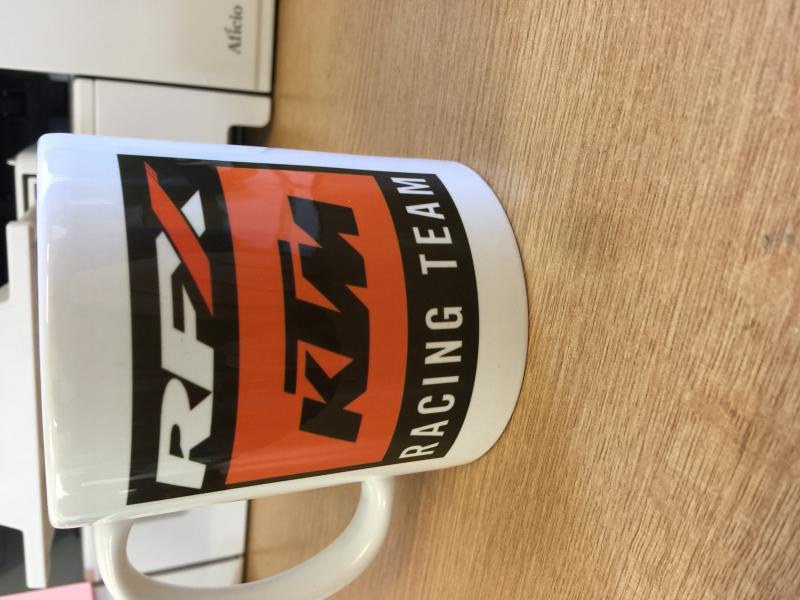
- vB_ID:5572
- EF6B6E83-B10E-4EBB-B868-7E91916D7C3E.jpg (61.45 KiB) Viewed 21 times
Re: Mug printing problems - element marks
Posted: 27 Jan 2019, 19:18
by Andrew
Looks like not enough temperature getting into the mug. Beyond the element marks the colour is pale. Have a go at turning up the temp. Make sure pressure is firm. Can't see all elements getting an issue at the same time. Strange if it is regular used settings to change though. Is it a heated room you are in as temperature has dropped outside. In our warehouse this can affect things and needs a bit more work to keep the mugs ticking.
Re: Mug printing problems - element marks
Posted: 28 Jan 2019, 16:27
by Fletcher
Hi Andrew yes I’m in a unit and the temperature has dropped a bit. I’ve had it once before when the computer lost all printer settings took me almost a week to realise. I did 50 of the mugs and they are fine. Customer is happy and has placed an order for more.