Page 1 of 1
Re: Images fading at edge of mug
Posted: 23 Apr 2016, 13:03
by Nige78
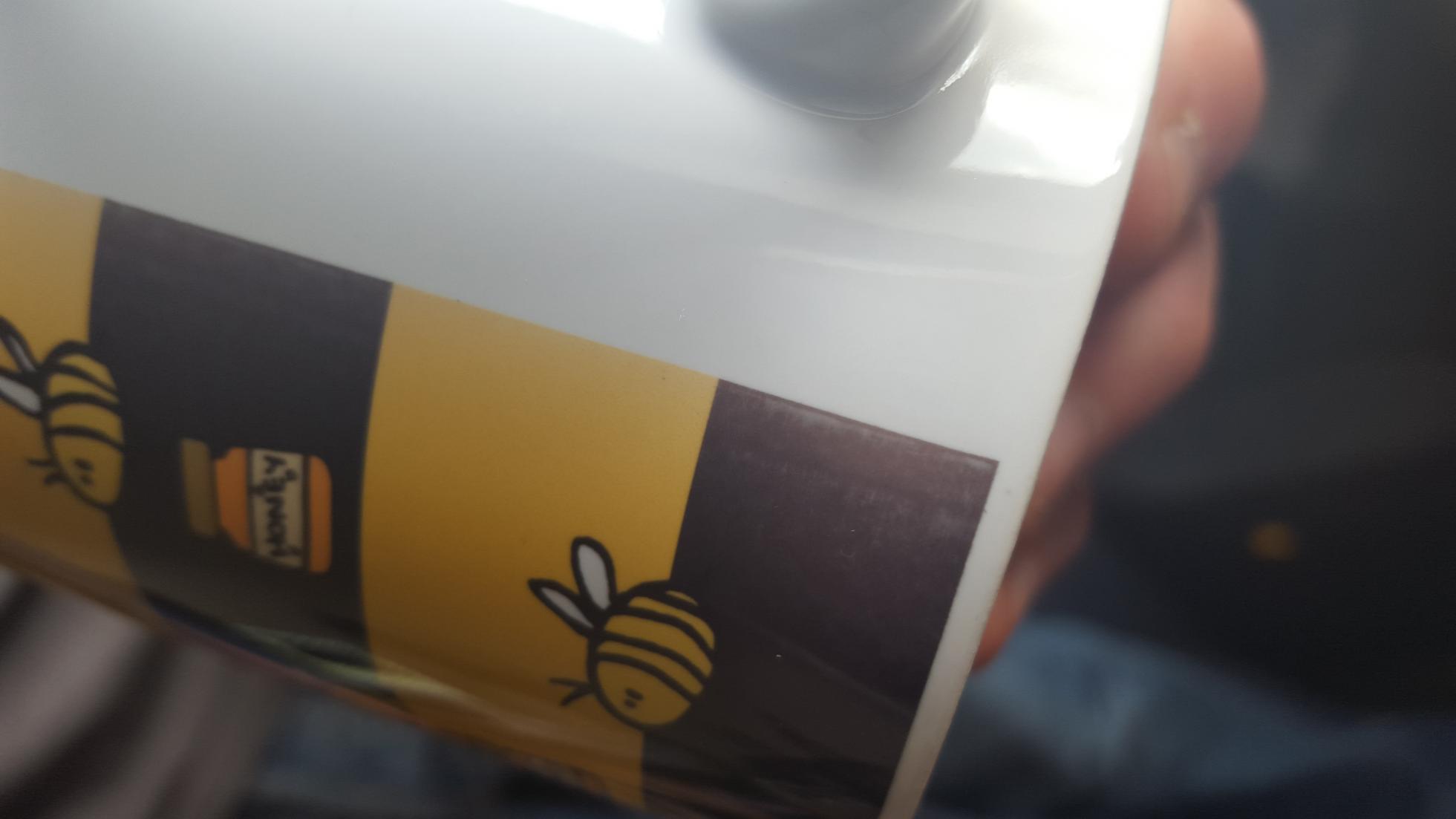
- vB_ID:3969
- 20160423_124046.jpg (81.26 KiB) Viewed 155 times
As per photo. The original, pre-sublimation image is perfect and the mugs seem to be free of defects.
It's a Galaxy Pro GS-202.
We are pressing them at 185 degrees for 135 seconds, but have also tried increasing the time to 140 and 145 seconds as well as increasing the pressure and different combinations of all of the above! Have also tried pre-heating the base of the mug.
Any help or tips greatly appreciated

TIA
Re: Images fading at edge of mug
Posted: 24 Apr 2016, 08:12
by Quinsfan
Many replies on here about this subject. Decrease the image width as you can't press close to the handles. The distance will vary from press to press. Have a cuppa and good read.
Sent from my iPhone using Tapatalk
Re: Images fading at edge of mug
Posted: 24 Apr 2016, 13:09
by bigj2552
what mug press you using ?
what your idle time set at ?
if you have no idle time set....145 sec will def not be enough to proper cook a mug fully
if idle time is set...increase cook time to 160-180
1.increase pressure as tight as it will go without breaking handle off ( done that )
2.pre-heat bottom(below handle) of mug for 1.5 mins in press along with your dummy mug
3.decrease image size so it away from handle more ( if above fails )
answer first 2 questions first;)

Re: Images fading at edge of mug
Posted: 25 Apr 2016, 08:42
by Andrew
I take it you have an OKI and not Epson using that temp?
It is a case of getting more heat to that area. How you can do that is largely summed up above. Correct pressure, temp and time combo. Any average heat press should be able to print that close.