Page 1 of 2
Re: problems with mugs after pressed
Posted: 17 Jul 2015, 16:02
by puds
hi all having probs with the colour when pressing mugs prints on to paper fine but after its been pressed it looks like this
- vB_ID:3603
- IMG_1981.jpg (86.03 KiB) Viewed 808 times
this is what the pic should look like
- vB_ID:3603
- IMG_1981.jpg (86.03 KiB) Viewed 808 times
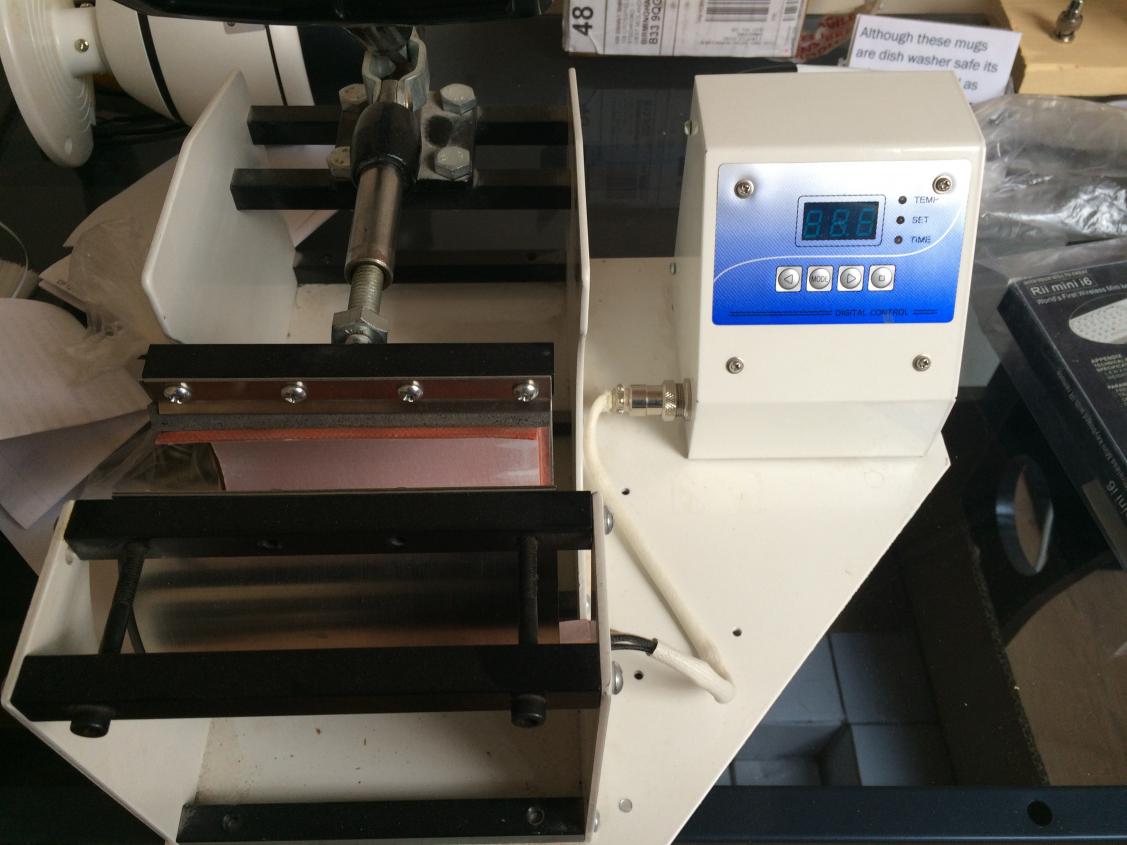
this is the press im using
- vB_ID:3603
- IMG_1981.jpg (86.03 KiB) Viewed 808 times
at 170 heat and 90 seconds cook thanks for any help given
Re: problems with mugs after pressed
Posted: 18 Jul 2015, 10:11
by socialgiraffe
Looks like you are either printing on the wrong side of the sublimation paper or you are not using specialist paper.
You need to tell us what paper and what printer and inks you are using to be able to give a better answer
Re: problems with mugs after pressed
Posted: 18 Jul 2015, 10:46
by Paul
And also i wouldn't go lower then 180sec on time
Sent from my iPhone using Tapatalk
Re: problems with mugs after pressed
Posted: 18 Jul 2015, 12:33
by puds
Use an epson printer not sure of the ink I got the lot off line printer/ink/paper/ the printer was already set up for ink and paper
Re: problems with mugs after pressed
Posted: 18 Jul 2015, 12:34
by puds
The heat is set to 170 and the time is set to 90 seconds
Re: problems with mugs after pressed
Posted: 18 Jul 2015, 12:50
by NASH
a good starting point is 180* at 180 seconds try that first
Re: problems with mugs after pressed
Posted: 18 Jul 2015, 13:48
by socialgiraffe
So without being disrespectful you have gone for unbranded paper and inks and presumably mugs with a cheap press and you want us to figure out what the problem is!
I will try but with so many variables it is going to be difficult...
Firstly, try cooking at 180 degrees for 180 seconds.
Make sure you are printing on the correct side of the paper
Presumably you do not have a profile installed so no point in talking about the ink
See what happens, if it is better than before then you are going to need to spunk a load of mugs getting it just right.
If its the same then it is probably either the ink, the paper or the mugs. But without know what the individual brands are it would be difficult to know which one.
Re: problems with mugs after pressed
Posted: 18 Jul 2015, 13:53
by RogerC
Looks like printing on the wrong side of the paper to me.............same press as mine and I get consistent good results with 170 degrees for 55 seconds using Trupix paper and branded inks
Re: problems with mugs after pressed
Posted: 11 Aug 2015, 22:46
by rossdv8
Using non branded paper it's often hard to work out which side to print. Grab your tongue between your finger and thumb tips, then hold the paper between the moist finger and thumb tip and squeeze. The side that wants to stay stuck to your finger the longest, is the side you print on.
Works well as long as your tongue isn't naturally dry. Good quality paper is another place to start. It is not much different on price than cheap online stuff and might make a big difference. Trupix might be a good one to start with. Without getting some ink that is 'known', there's only so much the helpful people on the forum can suggest.
Once you have ink and paper sorted you can look at learning about profiles. There's enough discussion to fill a book about that on here.
Re: problems with mugs after pressed
Posted: 13 Aug 2015, 02:49
by ink ink inc
i have had no problems using dyesub magic paper and it is pretty inexpensive for such a good branded paper also always use the branded inks and good mugs then it won't really matter too much what heatpress you use