Page 1 of 3
Re: Colour Printing Problems
Posted: 08 Jan 2015, 19:03
by Jollyware
Hi all I hope you can end my printing woes.
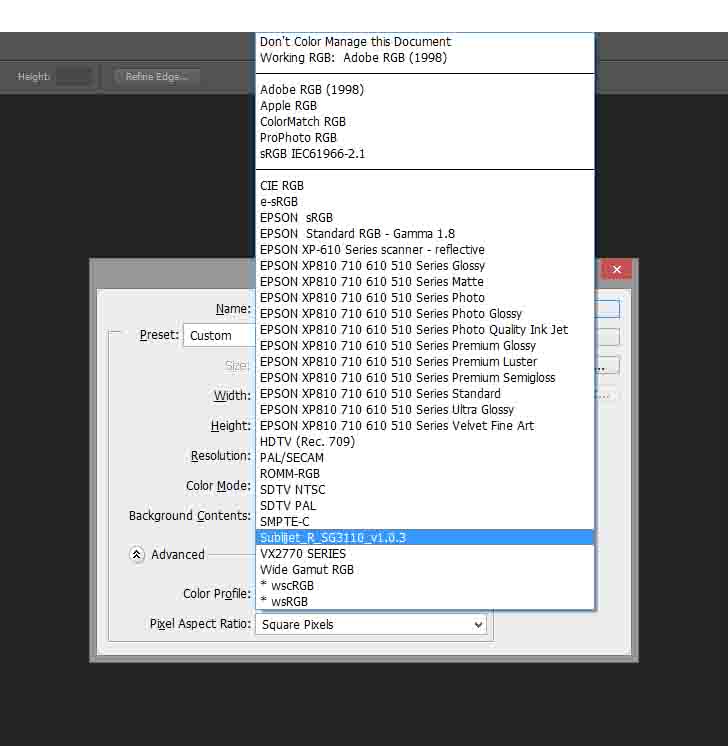
When I create a new canvas in photoshop I am asked what profile I want to use, see below.
I normally select Sublijet as this is the profile from Sawgrass.
- vB_ID:3179
- Untitled-1.jpg (72.52 KiB) Viewed 10 times
Then when I open an image is PS, this is the image I get which is true to the original colours, but when I print it seems to be very very dark.
- vB_ID:3179
- Untitled-1.jpg (72.52 KiB) Viewed 10 times
If I change the profile to Sublijet the colours change dramatically and print nowhere near how they should look.
- vB_ID:3179
- Untitled-1.jpg (72.52 KiB) Viewed 10 times
Please help as I am wasting ink at a great rate and as we know it ain't cheap

Thanks.
Re: Colour Printing Problems
Posted: 08 Jan 2015, 19:16
by pisquee
There are different colour profiles for different things, and they aren't interchangeable
You display/monitor has an ICC
Your printer/ink has an ICC
Your scanner/camera have an ICC
And the workspace in Photoshop has another.
You are trying to use your printer/ink ICC for the Photoshop workspace, which is why you're having problems.
I would advise using Adobe RGB 1998 for your workspace in Photoshop
Re: Colour Printing Problems
Posted: 08 Jan 2015, 19:24
by Jollyware
Thanks,
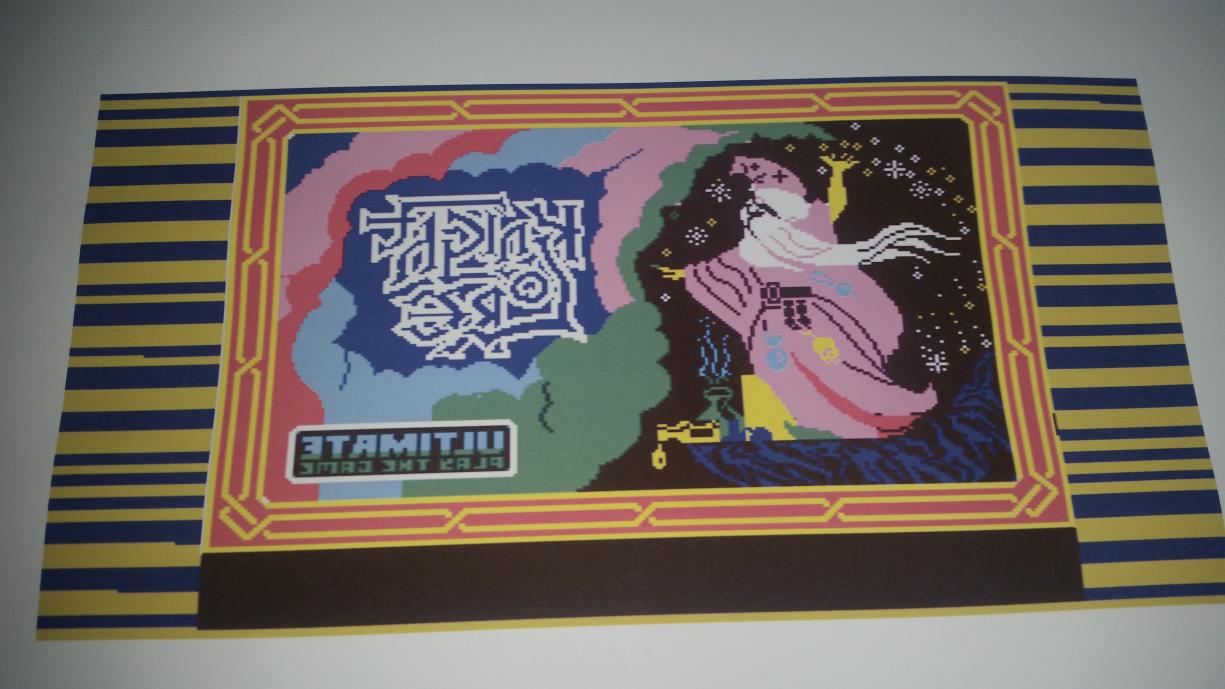
I just followed the instructions again from Sawgrass on printing from Photoshop using RGB 1998 and this is the resulting image.
- vB_ID:3182
- 20150108_192120.jpg (92.31 KiB) Viewed 10 times
Re: Colour Printing Problems
Posted: 08 Jan 2015, 20:00
by Paul
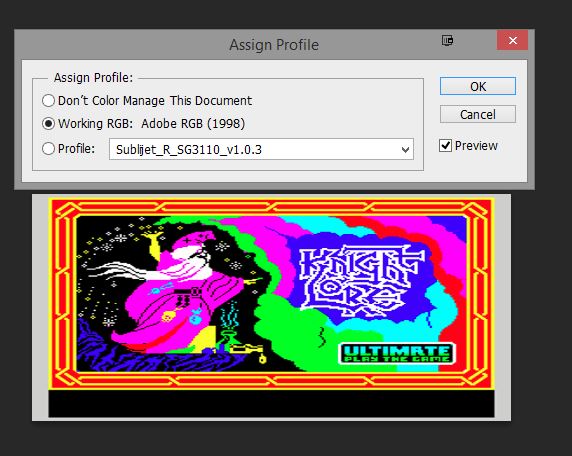
set your document LAWAYS as Working Rgb: Adobe Rgb
when this pop up
- vB_ID:3183
- Untitled-2.jpg (61.29 KiB) Viewed 10 times
always pick working rgb: adobeRgb
and then
in printing window you pick: let photoshop menage colors
and pick sublet from there.
it will work.
Re: Colour Printing Problems
Posted: 08 Jan 2015, 21:41
by JMugs
Have you pressed it?
You have shown us the print from the printer, not the pressed result.
Bright colours ( eg lime green heading towards fluorescent are not printable).
Is your monitor calibrated?
Re: Colour Printing Problems
Posted: 08 Jan 2015, 22:16
by Jollyware
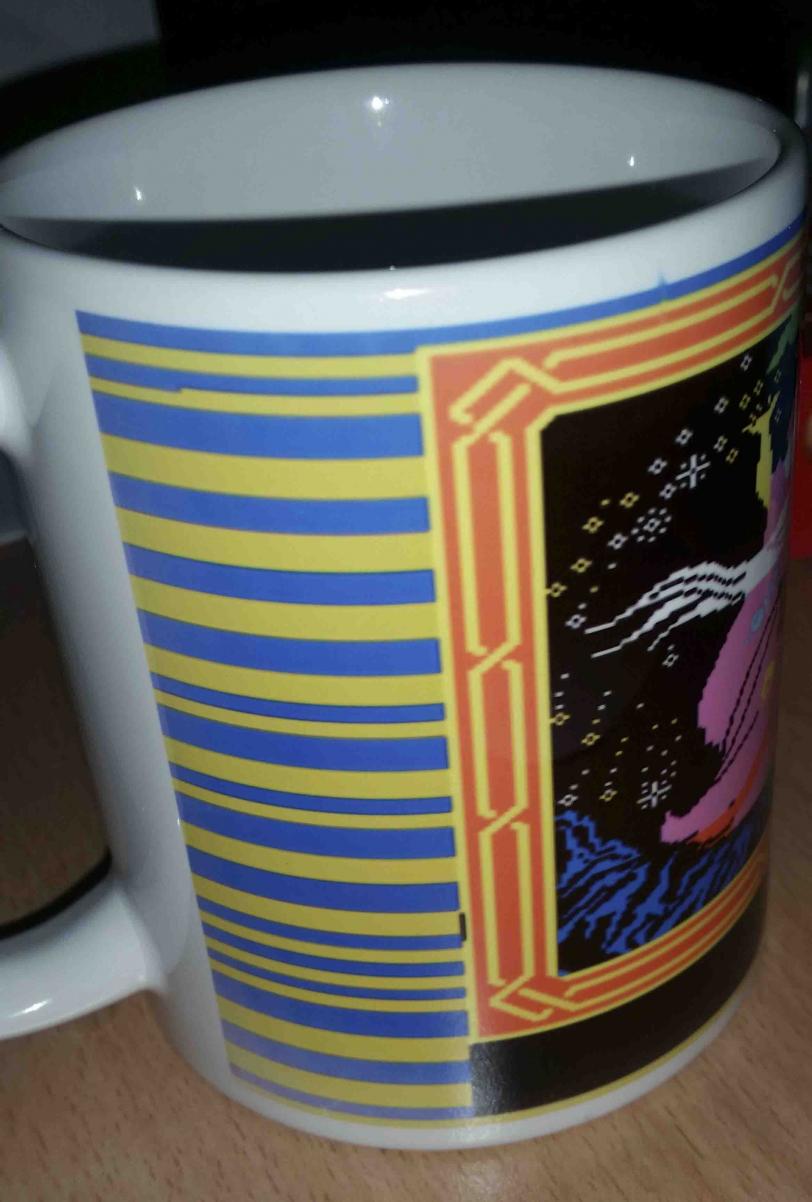
Photos of the pressed image, what should be magenta is printing pink and the red is more orange.
No my monitor is not calibrated and I'm not sure how to do this.
- vB_ID:3188
- 2015-01-08 22.12.26.jpg (84.92 KiB) Viewed 10 times
- vB_ID:3188
- 2015-01-08 22.12.26.jpg (84.92 KiB) Viewed 10 times
- vB_ID:3188
- 2015-01-08 22.12.26.jpg (84.92 KiB) Viewed 10 times
Re: Colour Printing Problems
Posted: 08 Jan 2015, 22:22
by Jollyware
To get the colours near as dammit I am not using the Sublijet profile as this makes the colours look washed out (shown in the photo of the print)
Instead I tried using CIE RGB and the above pictures are the result.
Re: Colour Printing Problems
Posted: 08 Jan 2015, 22:40
by Paul

you really need to use correct profiles for correct jobs.
so you need to set it all up again.
have you set color settings in photoshop?
Re: Colour Printing Problems
Posted: 09 Jan 2015, 02:09
by Jollyware
All I have done is setup Photoshop according to the instructions
here
Re: Colour Printing Problems
Posted: 09 Jan 2015, 08:54
by JMugs
You can not use the print on paper as your guide without experience. When you press the the image the print will be different to that which appeared on the paper.
If you expect the really bright pinks etc to glow like they do on your screen...they won't.
The colour range in sublimation is reduced, among many other factors.
Paul is very good with colours, and profiles. follow his advice and learn the limits of what is printable.
Janners