Page 2 of 2
Re: Help! Ricoh printer not getting colours correct
Posted: 22 Jun 2019, 14:37
by Chrizdene
Hi we have purchased new inks and have ICC code but are still having problems printing
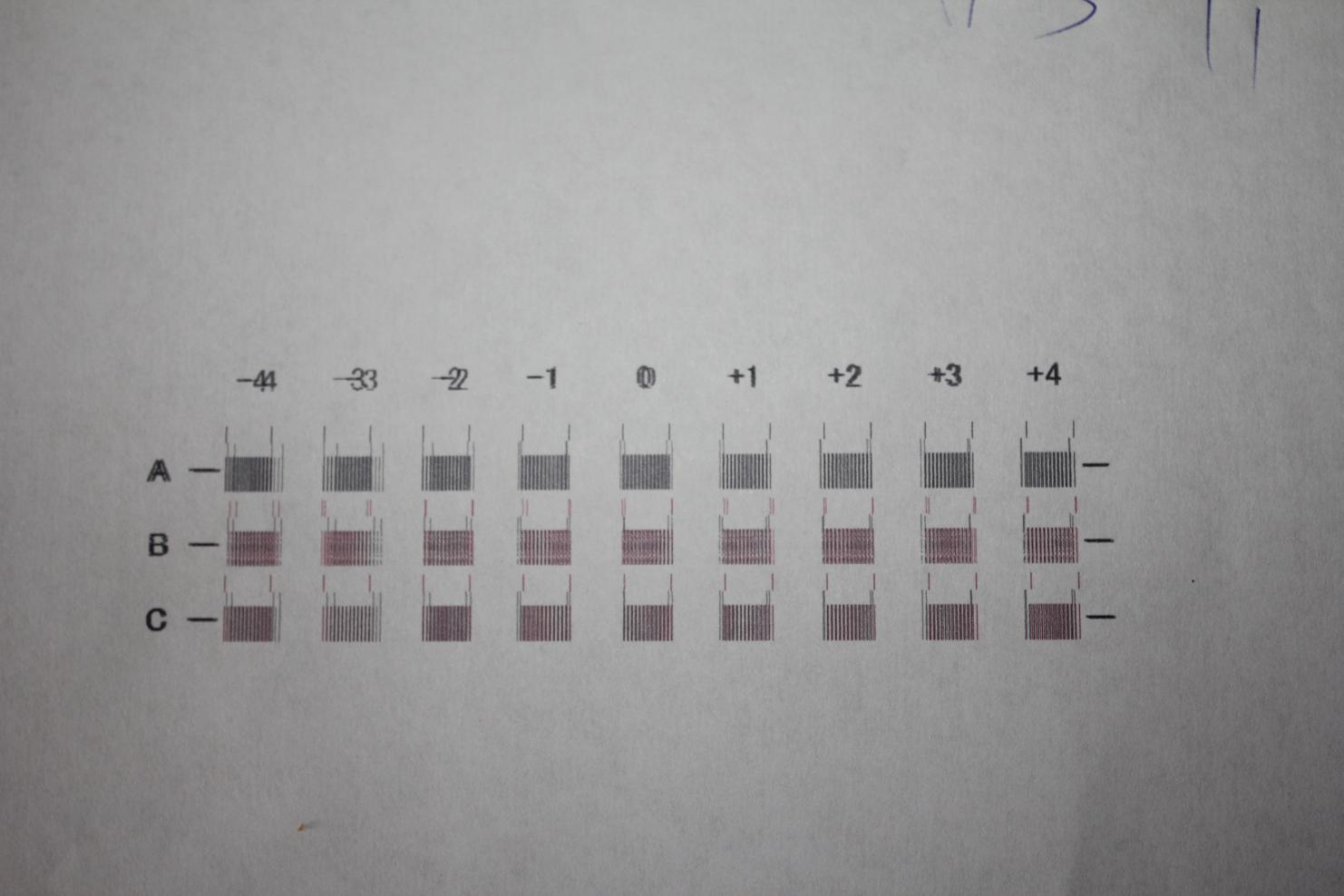
- vB_ID:5782
- IMG_8625.jpg (93.65 KiB) Viewed 178 times
- vB_ID:5782
- IMG_8625.jpg (93.65 KiB) Viewed 178 times
We are getting banding on the print. We have tried head alignment on the high speed high quality the test print shows 3 rows of boxes but the figure on the top line to the left of zero looks like double vision. Everything to right is fine
thanks in advance
Christine
Re: Help! Ricoh printer not getting colours correct
Posted: 22 Jun 2019, 14:40
by Quinsfan
Have you done a nozzle check? Also try printing the test page directly from the Ricoh menu and see how it looks.
Sent from my iPhone using Tapatalk
Re: Help! Ricoh printer not getting colours correct
Posted: 22 Jun 2019, 15:51
by Quinsfan
Have you done a nozzle check? Also try printing the test page directly from the Ricoh menu and see how it looks.
Sent from my iPhone using Tapatalk
Re: Help! Ricoh printer not getting colours correct
Posted: 22 Jun 2019, 18:28
by Chrizdene
Quinsfan;138866 wrote:Have you done a nozzle check? Also try printing the test page directly from the Ricoh menu and see how it looks.
Sent from my iPhone using Tapatalk
yeh we've tired that thanks
Re: Help! Ricoh printer not getting colours correct
Posted: 22 Jun 2019, 18:59
by Chrizdene
webtrekker;138739 wrote:Do you have an ICC profile installed?
What software are you printing from?
inc experts icc for richo printer
photo shop, but strange thing is it wont print direct from there i have to save to pdf file then it will print from that pdf file
Re: Help! Ricoh printer not getting colours correct
Posted: 22 Jun 2019, 21:30
by webtrekker
Chrizdene;138877 wrote:inc experts icc for richo printer
photo shop, but strange thing is it wont print direct from there i have to save to pdf file then it will print from that pdf file
Something wrong there. Ricoh's will print quite happily from Photoshop. Mine has done nearly every day for the last few years.
Just to make sure...
1. You installed your Ricoh printer driver.
2. You installed the ICC profile to your system.
3. You DISABLED the setting in your printer driver that makes the printer manage colours.
4. You ENABLED 'Photoshop manages colours' in the Photoshop print dialogue and set your ICC as the active profile from the dropdown list.
If all of that is correct then you should be able to print successfully from Photoshop.
Re: Help! Ricoh printer not getting colours correct
Posted: 30 Jun 2019, 20:16
by Chrizdene
webtrekker;138878 wrote:Something wrong there. Ricoh's will print quite happily from Photoshop. Mine has done nearly every day for the last few years.
Just to make sure...
1. You installed your Ricoh printer driver.
2. You installed the ICC profile to your system.
3. You DISABLED the setting in your printer driver that makes the printer manage colours.
4. You ENABLED 'Photoshop manages colours' in the Photoshop print dialogue and set your ICC as the active profile from the dropdown list.
If all of that is correct then you should be able to print successfully from Photoshop.
Hi thanks for all your replys. We have tried evrything an still not working correctly - Did you see the photos I uploaded to show what we were gettign when we print???? regards