Page 2 of 4
Re: pneumatic mug press
Posted: 28 Jan 2016, 16:02
by anniecov
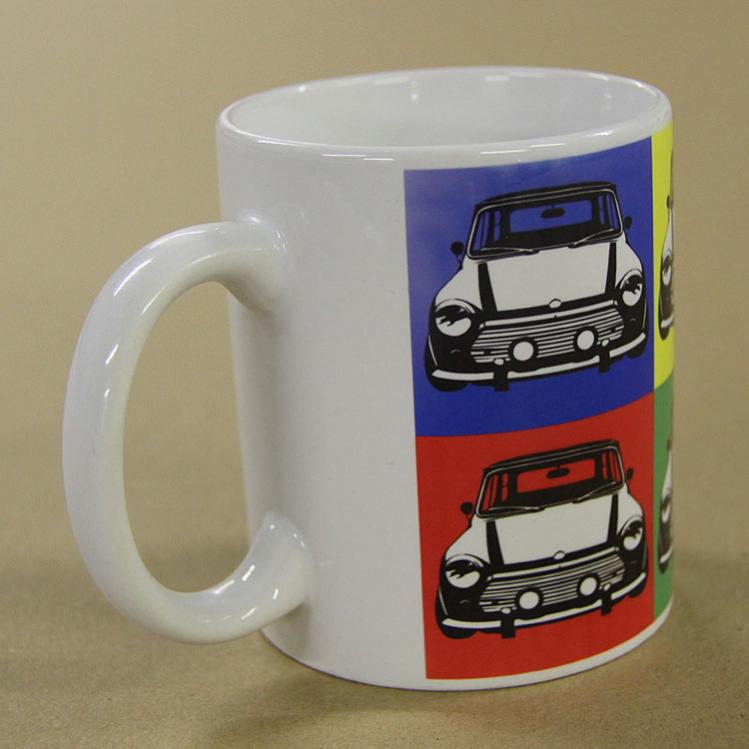
Here's a photo of the whole mug done at 180c for 180 seconds. Base pre-heated for 30 seconds. The base looks great it's the top corner that's rubbish.
- vB_ID:3829
- IMG_0721.jpg (45.78 KiB) Viewed 390 times
Re: pneumatic mug press
Posted: 28 Jan 2016, 16:05
by MCB12
It's the same as yours, not sure i like it.......
What printer are you using?
Re: pneumatic mug press
Posted: 28 Jan 2016, 16:10
by anniecov
Ricoh SG3110 with Sawgrass inks and JetStream paper.
Re: pneumatic mug press
Posted: 28 Jan 2016, 16:16
by MCB12
Are you printing using the PowerDriver or just straight from the printer. Your colours look really good, whereas my look faded. I can't figure out if should put the temp up and heat for longer???????
Re: pneumatic mug press
Posted: 28 Jan 2016, 16:41
by anniecov
PowerDriver.
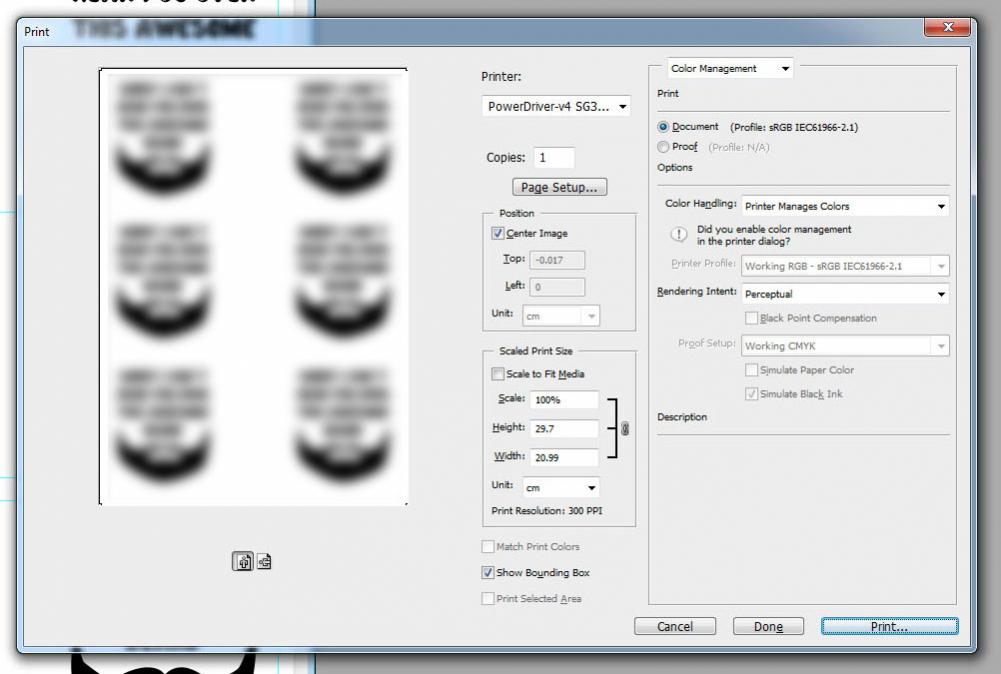
Where do you print from? We print out of Photoshop letting PowerDriver manage the colours. Make sure it's set to "perceptual" rather than "relative".
- vB_ID:3830
- Untitled-1.jpg (66.55 KiB) Viewed 390 times
Re: pneumatic mug press
Posted: 28 Jan 2016, 19:06
by MCB12
Thank you! PowerDriver successfully installed and colours looking better.
The only thing now is, how to print more than 1 image per sheet - anyone?
Using PSE13
Morele
Re: pneumatic mug press
Posted: 28 Jan 2016, 20:18
by UK Printed Mugs
We use specially sized mug paper which means you don't waste any from A4 paper if only doing one and makes whole process much quicker when doing lots. Olly
Re: pneumatic mug press
Posted: 28 Jan 2016, 20:37
by MCB12
Can you tell me which paper, and where you got it from?
I can't get my head around PSE13 and it not allowing you to print the same image more than once?????
Re: pneumatic mug press
Posted: 28 Jan 2016, 20:54
by UK Printed Mugs
We use the mug paper from BMS (printerowners.co.uk) and have a view of this video which should tell you how to set printer for paper sizes other than A4
https://www.youtube.com/watch?v=HXxMtcq0aW8
Re: pneumatic mug press
Posted: 29 Jan 2016, 14:03
by anniecov
MCB12;108573 wrote:Thank you! PowerDriver successfully installed and colours looking better.
The only thing now is, how to print more than 1 image per sheet - anyone?
Using PSE13
Morele
If you look at my image of print settings, it pretty much shows you how to put 3 on an A4 sheet.