Page 2 of 2
Re: any one live near me
Posted: 13 Jan 2015, 13:32
by daddykev
Thanks
Dave271069
AlanD photoshop cs2
Re: any one live near me
Posted: 14 Jan 2015, 09:09
by AlanD
Sorry, I know very little about Photoshop, I'm a Corel Draw man (beta tester X3, X4, X5, X6 and X7)
Re: any one live near me
Posted: 15 Jan 2015, 19:03
by arthur.daley
only 5 mugs!
Are you printing via Powerdriver? Some people swear by it others swear about it. When everything is going well its great - when its not its pants.
Is your screen calibrated?
If your screen is not calibrated you will struggle with colour, unless you are lucky enough to have a screen that just happens to be accurate straight out of the box.
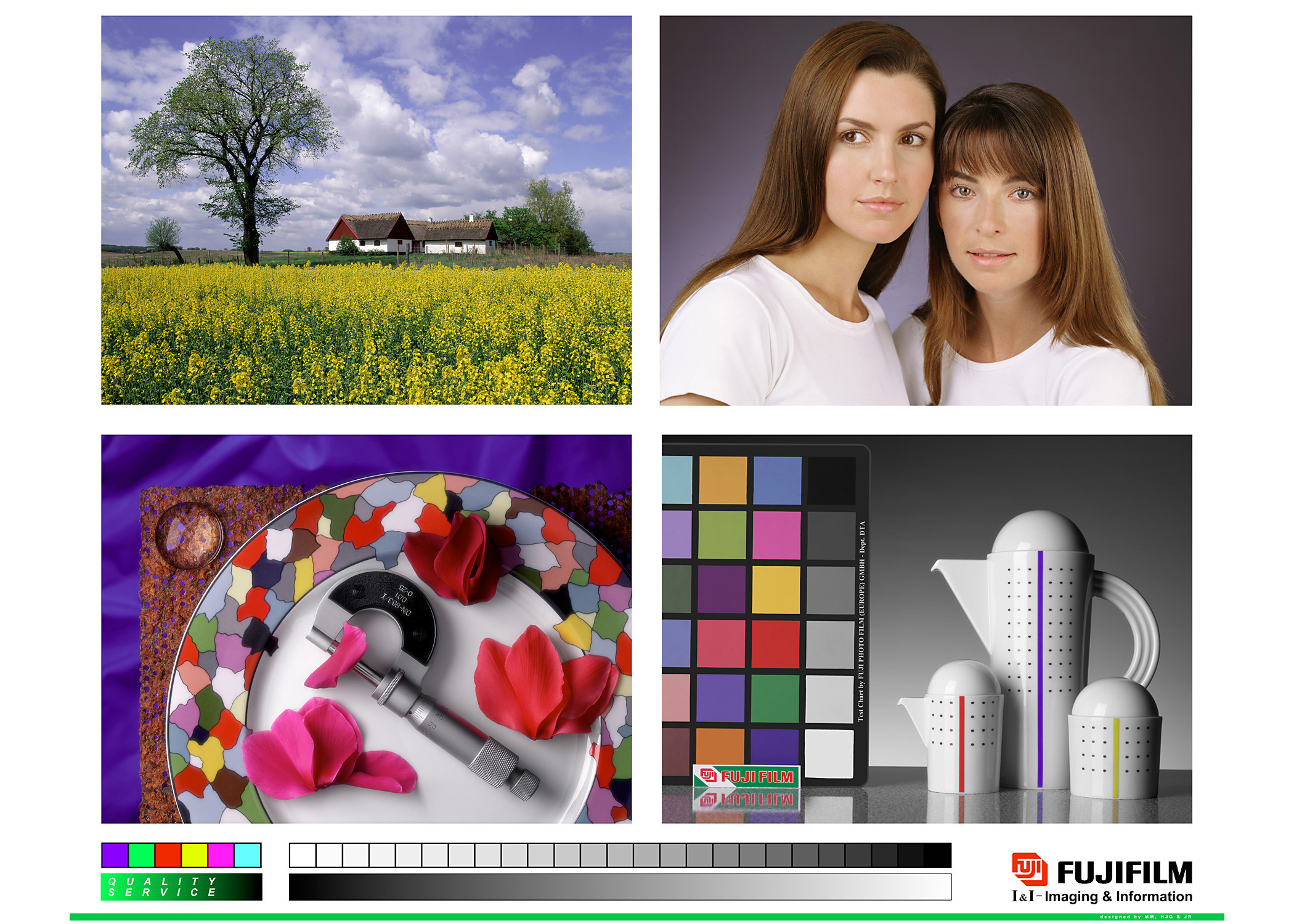
If you go to
http://www.chromix.com/downloadarea/tes ... lor57s.jpg
and download the image it will help you assess your monitor. It is a test image used to set up Fuji mini labs. The skin tones are good, the grey scales should be clean - no magenta/green colour cast, the whites should be clean etc. It isn't a substitute for calibration but it can help. You could also shrink it down and print it on a mug and see what it looks like colour wise.
regards
Arthur
Re: any one live near me
Posted: 27 Jan 2015, 02:37
by andy 18
Hi, I found just changing to powerdriver made all the difference, the colour change was quite significant.
Re: any one live near me
Posted: 27 Jan 2015, 14:05
by AlanD
I got better results using the Powerdriver (with CorelDraw)